Go Pro

New in AutoJournal AI

Automatic Work Journaling for Mac

Auto-track your work. AI-powered insights. 100% private.

100% offline. Privacy-first. Only tracks window titles – never screenshots or content.

  • Zero configuration. Install and it runs quietly in the background.
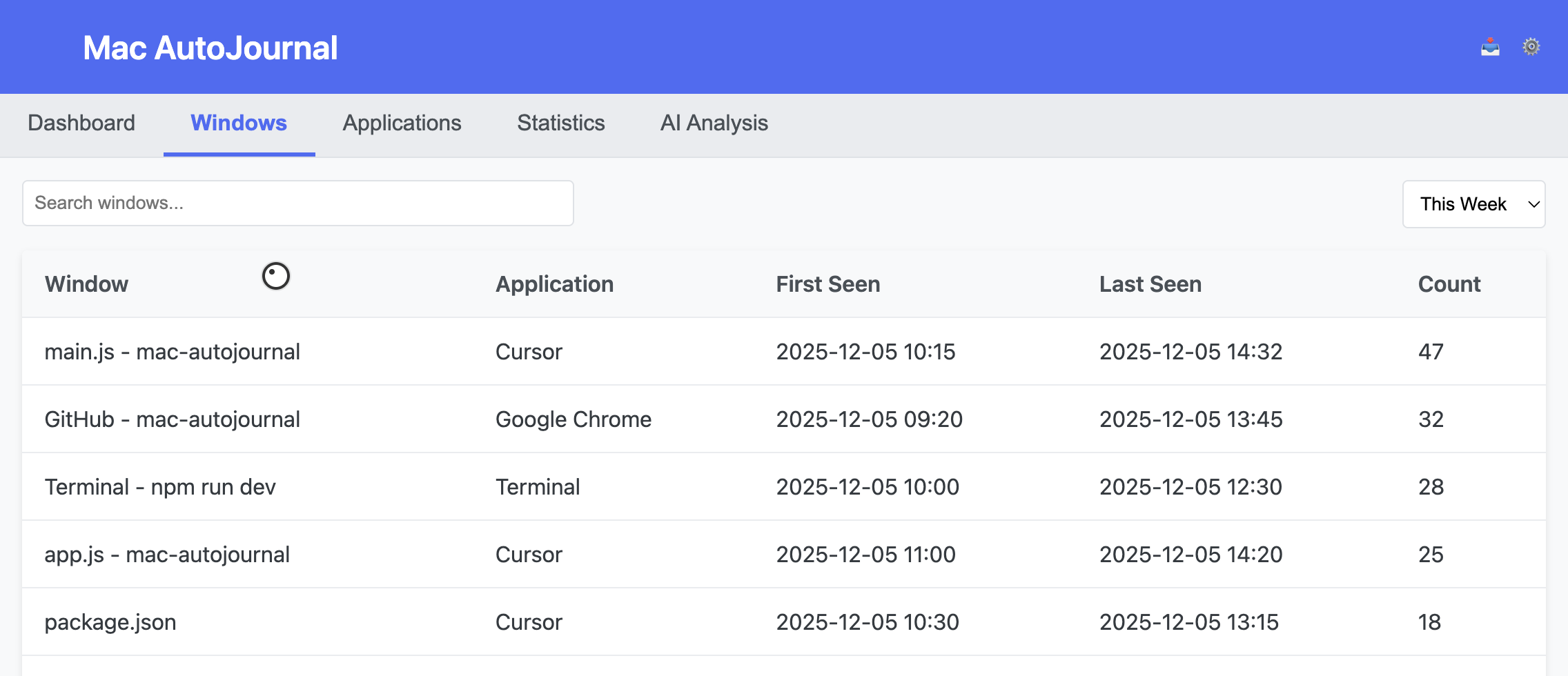
  • App & window breakdown. See exactly where your time goes, by app and document.
  • AI summaries. Get daily, weekly, or monthly recaps of what you worked on.
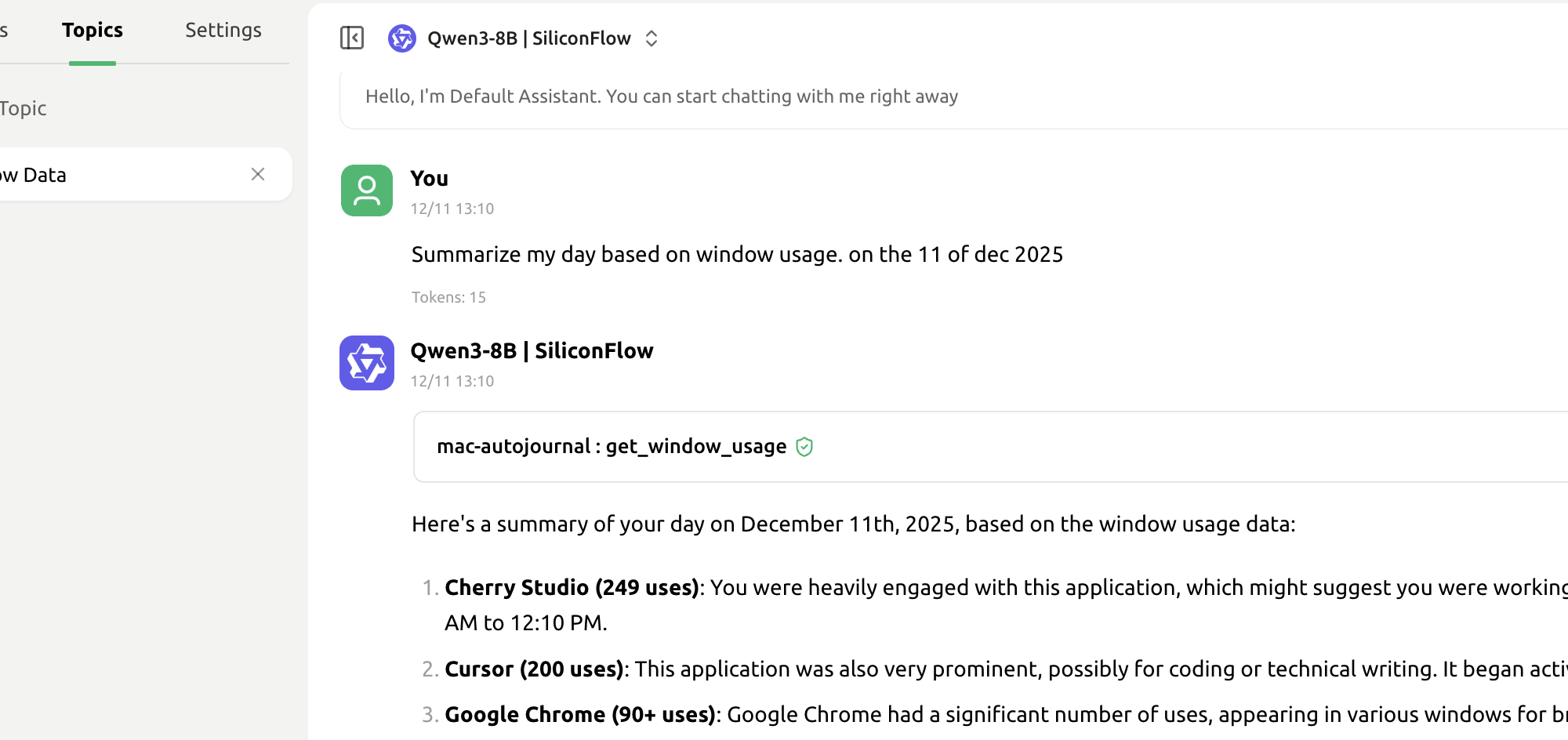
  • Chat with your journal. Ask questions about your work history via MCP.
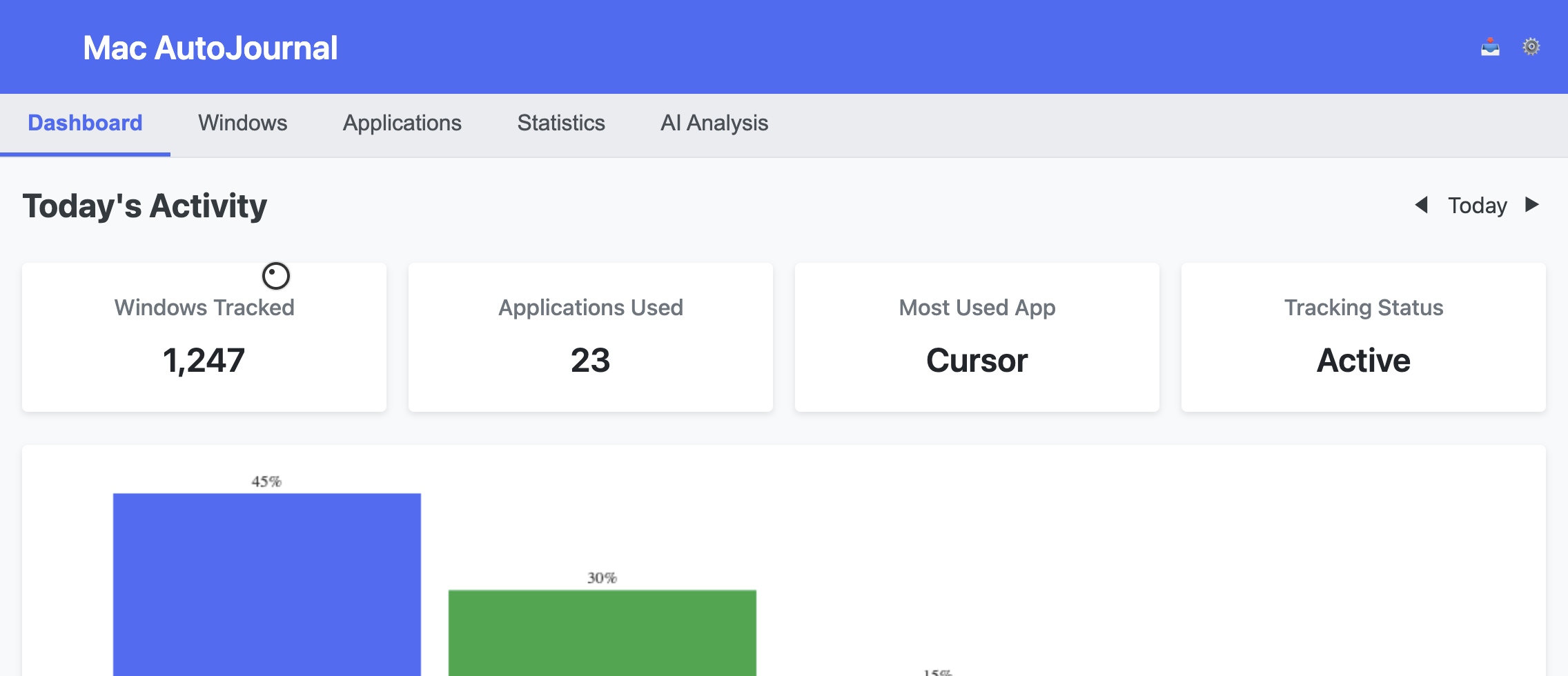
AutoJournal AI dashboard screenshot
Actual dashboard view inside AutoJournal AI
Chat with your journal via MCP

Ask your journal:

  • "How much time did I spend on social media?"
  • "What are my working habits?"
  • "What did I work on last Thursday?"
  • "Which projects took most of my time?"
  • "When am I most productive?"

Product Highlights

  • Privacy-first — 100% offline, only window titles tracked; no screenshots, keystrokes, or contents.
  • Zero setup, always on — install once, no timers or start/stop; automatic journaling while you work.
  • Daily dashboard — apps, documents, and time spent across the day.
    Example: Morning deep work vs afternoon meetings.
  • Window-level tracking — drill into specific windows like “Safari: Research” or “Pages: Client proposal.”
    Example: “Notion — Sprint planning”, “Figma — homepage v2”.
  • Data you own — everything stays on your Mac; CSV export (today in Free, custom ranges in Pro).
  • AI-powered summaries (Pro) — one-click natural-language recaps of your day, week, or month.
    Example: “Shipped onboarding flow, researched payments, drafted brief.”
  • Chat with your journal (MCP, Pro) — ask questions about your history and explore patterns via chat.
    Example: “What did I work on with Alice last Thursday?”

Get Started with AutoJournal AI

Enter your email and we'll send download instructions for the free version.

Generating challenge...

Plans & pricing

Start free. Add AI summaries and chat when you’re ready.

Free

Automatic work journaling for privacy-first use.

$0
  • ✓ Unlimited automatic tracking (window + app)
  • ✓ Local-only data on your Mac
  • ✓ Daily dashboard with timelines + charts
  • ✓ Today CSV export
  • ✓ One-click data reset
Most popular

Pro

AI summaries and chat on top of the raw data.

$4.99/ month
  • ✓ Everything in Free
  • ✓ AI summaries (daily / weekly / monthly)
  • ✓ Advanced CSV export with custom date ranges
  • ✓ MCP-powered chat with your journal
  • ✓ Priority support

No lock-in. Cancel anytime.

Teams & API

For teams and deeper integrations.

Custom
  • ✓ Everything in Pro
  • ✓ API access for automated exports + integrations
  • ✓ MCP guidance (workflows, prompts, examples)
  • ✓ Encrypted cloud backup support
  • ✓ Priority onboarding + optional SLA

Frequently Asked Questions

Who is AutoJournal AI for?

Knowledge workers, freelancers, writers, developers, and anyone who wants better daily recaps without manual time logging.

What exactly do you track?

Only window titles (like "Safari: Wikipedia" or "Pages: Document") and app names. We never capture screenshots, keystrokes, or document contents.

How does the AI analysis work?

AutoJournal AI runs offline by default. When you request an AI summary in Pro, your window titles and timing data are sent securely to generate the summary. No screenshots or document contents are ever collected.

Can I delete my data?

Yes. All data is stored locally on your Mac. You can delete it anytime from the app settings or by deleting the database file.

Does this slow down my Mac?

No. AutoJournal AI uses minimal resources and runs efficiently in the background. It only checks the active window every few seconds.